You'll spend countless afternoons fine-tuning a monitor setup before admitting your eye strain might not be a hardware problem at all. That's the question I kept circling back to, three years into a fully remote developer job, somewhere around the fourth different eye-health supplement I'd bought hoping it would finally be the one that worked.
Quick disclosure before anything else: this site runs on affiliate links, and if you buy something through one, I earn a commission at no extra cost to you. That doesn't change what's below — I'm not a doctor or an optometrist, just a developer who got tired of losing to his own eyes and started tracking everything. Every product mentioned here is one I bought and tested myself, out of pocket.
Fix Your Monitor Setup Before Trying Supplements
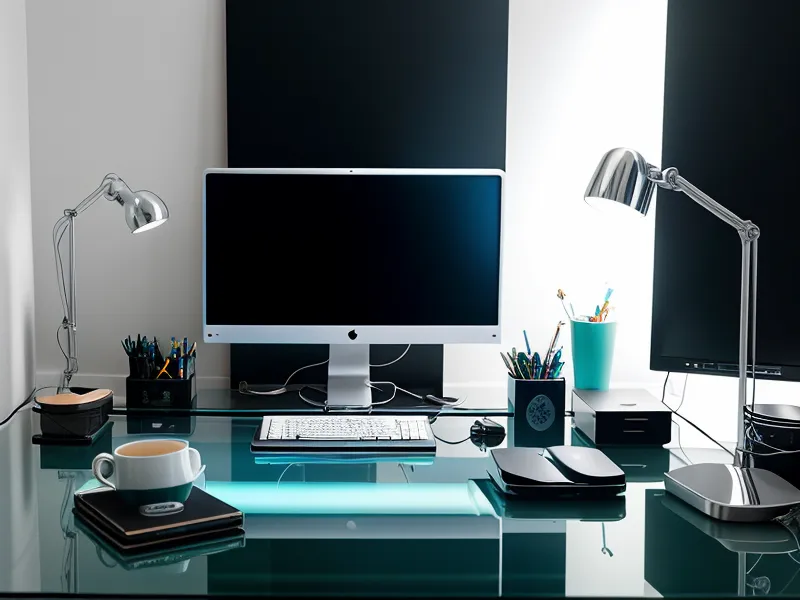
Yes, and it's the part most people skip because a supplement feels like a more exciting purchase than a monitor arm. My workspace is a converted second bedroom I turned into a three-monitor cave, desk built in a U-shape so all three screens curve slightly toward me instead of sitting flat in a row. Each screen sits roughly an arm's length out and just below eye level, which keeps my eyelids from opening as wide as they would staring straight ahead — less exposed surface, less dryness, a small detail that adds up over an eight-hour day. I also swapped the overhead light for a warm strip mounted behind the center screen, closer to candlelight than daylight, and the blinds on the east-facing window stay most of the way down once the sun climbs high enough to hit the glass. That alone killed the worst of the glare, before I'd opened a single supplement bottle. The 20-20-20 rule gets recommended everywhere as the baseline eye-rest habit for screen workers, and it's worth doing, but on its own it never got me past the 3 PM wall. None of this is unique to developers, either — general workplace ergonomics advice for anyone stuck in one position for hours applies just as much to us as it does to long-haul drivers or warehouse staff.
Naming the Problem: What Digital Eye Strain Actually Feels Like
What gets filed under digital eye strain is really a cluster of symptoms — the ache, the blur, the grit — and the label is broad enough that it doesn't tell you much about what to actually fix. Mine showed up first as a headache that arrived like clockwork during a long debugging stretch, then as a general heaviness by the time I finally closed the laptop for the day. There's a special kind of irony in wrecking your eyes to build software that other people stare at all day, and I've mostly made peace with being both the cause of the problem and the one stuck debugging it. Hardware only fixes the light hitting your eyes — it doesn't touch whatever your body is doing internally to cope with hours of close, bright focus, and that gap is where the headaches kept surviving no matter how many monitor settings I changed.
Prescription Blue Light Glasses Didn't Fix It
Prescription blue light glasses from my optometrist were the first real intervention I tried — actual lenses fitted for me, not the drugstore kind, and not cheap. They took the edge off, but never touched the core of the problem. My wife asked one evening if I'd finally gotten new glasses, and I had to point out I was wearing the same pair I'd had for a while — the frames hadn't registered as different because nothing about how my eyes actually felt had changed. That's usually the tell that a fix is cosmetic instead of functional: nobody notices, including the person who paid for it.
Testing Supplements Without Guessing
Every new product goes through the same rough process before I trust it: one at a time, tracked daily, so I'm not relying on memory to tell me whether something's working — the actual structure of how I run those tests is its own topic, so I won't rebuild it here. Soren Tabata, a developer I only know through a contractors' Slack channel, is who first got me taking it seriously; he has a habit of digging up research papers unprompted and firing off the abstracts with almost no context, usually at odd hours, and one of those messages is what pushed me toward keeping notes instead of guessing. Cycling through one supplement at a time instead of stacking several at once turned out to matter too, since stacking makes it impossible to tell which product is actually responsible for any change you notice.
The Supplement That Actually Moved the Needle
VisiFlora is the one that changed my late-day fatigue enough that I noticed before I ever checked the spreadsheet. It leans on a gut-and-eye connection angle, which sounded like marketing nonsense before I tried it, but the pattern in my notes stayed consistent enough that I stopped being skeptical about it. It sits at the premium end of the category price-wise, around $69 a bottle, and comes with a 60-day money-back window, which is what actually got me to commit instead of just bookmarking the page. Compared to the blue light glasses sitting unused in a drawer, this felt like it was addressing something upstream instead of just filtering what hit my eyes after the fact. Lutein and zeaxanthin ratios come up constantly in these formulas, and getting that ratio right is a whole separate rabbit hole I won't get into here. The full breakdown, including what worked and what didn't, lives in my VisiFlora review for developers if you want the granular version.
The Budget Pick: TheyaVue Worth Trying First
If you're not ready to commit to premium pricing, TheyaVue is the lower-cost entry point at $59, built around a broader 24-ingredient formula aimed at general maintenance rather than anything specialized. It held up fine on lighter days — admin work, meetings, less actual time staring at code — but on long debugging stretches it didn't keep pace with the pricier options, at least not for me. Still, if you're only just starting to notice that afternoon blur and don't want to spend much to find out whether supplements do anything for you personally, it's a reasonable place to start. I put it head-to-head with the other option in VisiFlora vs TheyaVue if you want the side-by-side.
iGenics and the Trade-Off of Patience
iGenics sits at that same $69 price point but leans on a shorter list of twelve targeted ingredients instead of a broad-spectrum formula. It took noticeably longer before I felt any difference compared to the other two, which almost made me give up on it early, but once it kicked in it gave me a steadier baseline rather than a dramatic swing day to day — closer to adding memory to a machine than swapping in a faster processor, you don't feel it moment to moment, the system just stops choking as often. There's a whole ingredient reference guide's worth of information out there on what each compound in these formulas is supposed to do, and I'd rather point you toward that than pretend I fully understand the label myself. My optometrist stayed politely unconvinced by any of it the entire time, which is roughly the reaction you'd expect from someone trained to look for clinical evidence rather than one developer's spreadsheet. I documented the longer arc with iGenics on my Austin office results page.
Dry Eyes or Screen Fatigue: Telling Them Apart
Whether it's dry eyes or general screen fatigue behind that afternoon discomfort is its own question with its own answer, and I don't want to flatten it into a single paragraph here. What I can say is that a reader named Priska Mwenda, who emailed me after finding one of my posts and has since become someone I trade notes with regularly, is the one who first got me paying attention to dose timing relative to meals instead of just dose size — a small adjustment that made the effect noticeably more consistent. If the grit persists even on days you've barely touched a screen, that's worth a different conversation than the ache that only shows up after hours of coding.
The Daily Stack, End to End
Most days now start with the monitors at that same arm's-length distance, bias lighting already on before I open the laptop, and one capsule of VisiFlora alongside the first glass of water instead of coffee. Blue light filtering on the displays is still part of the mix, though I've stopped treating it as the main event — it's one layer among several rather than the fix by itself. A pomodoro timer locks the screens for two minutes every hour whether I want the break or not, which sounds precious until you realize how easy it is to skip breaks voluntarily when you're mid-bug. On nights when something ships later than planned, my own typing gets quieter without me deciding to type quieter — lighter keystrokes sometime after 11, like some part of me is trying to conserve effort the later it gets. On the rare afternoon I actually step away from the desk, it's usually a lap or two around the running loop at Mueller Lake Park rather than another five minutes scrolling on my phone, and that short a walk does more for the ache than I expect it to every time.
If none of your hardware changes are touching the fatigue anymore and you're circling the same afternoon wall I used to hit, VisiFlora is the one out of the seven products I've tried that's worth trying first, if only because the money-back window makes it a low-risk way to find out whether your eyes respond to it at all.